
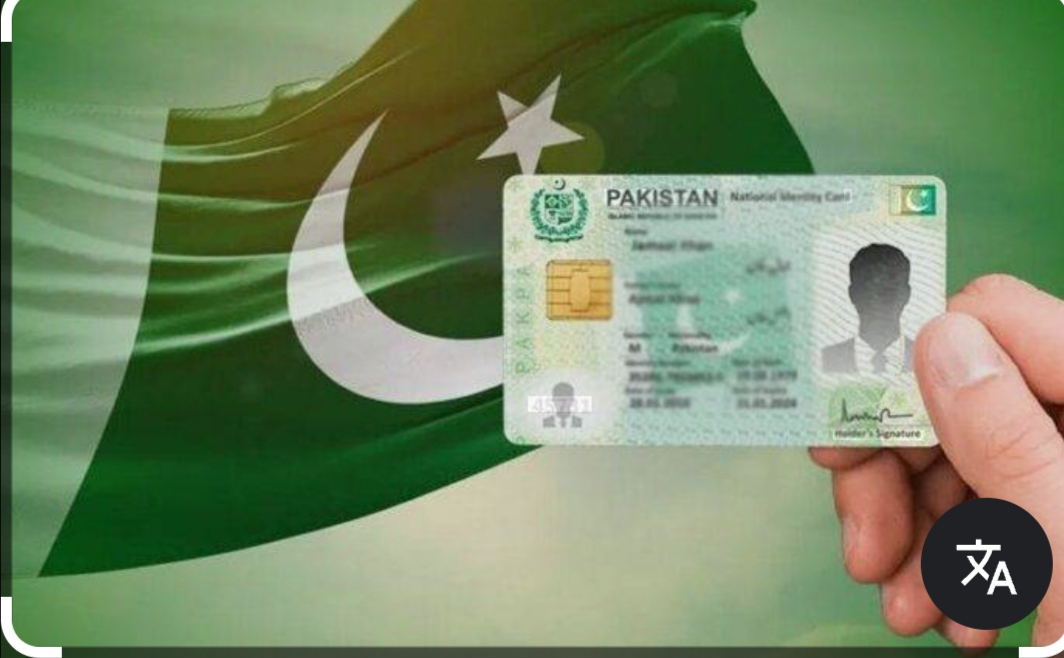
Pak ID App: NADRA’s Official Digital Identity Solution for Pakistanis
The Pak ID App, officially known as Pak Identity or Pak-ID Mobile App, is the flagship mobile application developed by the National Database and Registration Authority (NADRA) of Pakistan. Launched to digitize identity services, it provides an end-to-end online platform for Pakistani citizens and overseas Pakistanis to manage their identity documents conveniently from anywhere in the world.
With millions of downloads and high user ratings (around 4.7), the Pak ID App has transformed how people apply for, renew, modify, or track NADRA-related documents. It supports both local residents and expatriates, reducing the need for physical visits to NADRA centers in many cases.
What is the Pak ID App?
Pak ID is NADRA’s secure mobile application designed to deliver online identity issuance and management services. It allows users to handle key identity documents digitally, including:
- Computerized National Identity Card (CNIC)
- National Identity Card for Overseas Pakistanis (NICOP)
- Related services like Family Registration Certificate (FRC), Child Registration Certificate (CRC), and more
The app supports online application, biometric verification, secure payment, document upload, and home delivery options. It is available free of cost on both Android (Google Play Store) and iOS (Apple App Store).
Key Features of Pak ID App
- Apply for New Documents — New CNIC, New NICOP
- Renewal and Modification — Renewal of CNIC/NICOP, data modification (address, marital status, etc.)
- Reprint or Lost Card Services — Request for duplicate cards
- Biometric Verification — Live photo capture, fingerprint acquisition via mobile camera, facial recognition
- Digital Signature and Document Upload — Upload scanned documents or capture via phone camera
- Application Tracking — Real-time status updates and inbox for all applications
- Verification History — View who and when your identity was verified (via fingerprints, face, QR code, etc.)
- Visa Prior to Arrival — Foreign nationals from eligible countries can apply for Pakistani visas with automated passport data extraction
- Appointment Booking and Center Locator — Book slots and find nearby NADRA centers with estimated wait times
- Secure Payments — Online fee payment using cards or other supported methods
- Multi-Language Support — Available in English and Urdu
Recent updates (as of 2026) have added smarter biometric features, enhanced facial verification, and improved visa processing capabilities.
How to Download and Install Pak ID App
For Android Users:
- Open Google Play Store
- Search for “Pak Identity” or “Pak ID”
- Developer: National Database & Registration Authority (NADRA)
- Package name: pk.gov.nadra.pakid
- Download and install the latest version (currently around 5.5.x)
For iOS Users:
- Open Apple App Store
- Search for “PAK IDENTITY”
- Download the free app
Always download from official stores to ensure security and get automatic updates.
System Requirements
- Android 7.1 or higher
- iOS device (iPhone)
- Stable internet connection (Wi-Fi recommended for uploads and biometrics)
- Sufficient storage and camera access
Step-by-Step Guide: How to Use Pak ID App
1. Account Creation and Verification
- Open the app and select Register
- Provide your email, mobile number, and basic details
- Complete biometric verification (face scan or other methods)
- Verify your account through OTP sent to mobile/email
2. Login
- Use biometric login (fingerprint/face) or credentials for quick access
- The app supports secure session management
3. Starting a New Application
- Go to the services menu
- Choose the desired service (e.g., CNIC Renewal, New NICOP, Modification)
- Fill in the interactive form with personal details
- Capture or upload required documents (CNIC copy, photos, etc.)
- Perform live biometric capture (ICAO-compliant photo, fingerprints via camera, digital signature)
- Review the application summary
4. Payment and Submission
- Pay the applicable fee securely within the app
- Submit the application
- Receive a tracking number
5. Tracking and Delivery
- Monitor progress in the inbox or tracking section
- Many services now offer home delivery or collection from the nearest NADRA center
6. Additional Services
- Access Verification History from the menu (three lines icon)
- Book appointments or locate centers
- Apply for visa-related services if you are a foreign national
Benefits of Using Pak ID App
- Convenience — Apply from home or abroad without visiting NADRA centers initially
- Time-Saving — Reduces queues and physical paperwork
- Transparency — Real-time tracking and verification history
- Cost-Effective — Some services have home delivery options; fees are clearly displayed
- Security — Uses end-to-end encryption, biometrics, and official NADRA backend
- Accessibility — Helps overseas Pakistanis (especially in Gulf countries, Europe, USA, etc.) manage NICOP easily
- Digital Pakistan Initiative — Supports government’s e-governance goals with over 10 million downloads and thousands of daily applications
The app has significantly increased digital submissions, handling a substantial portion of NADRA’s workload.
Who Should Use the Pak ID App?
- Pakistani citizens needing CNIC renewal or modification
- Overseas Pakistanis (dual nationals) applying for or renewing NICOP
- Parents applying for CRC or FRC
- Individuals who lost their ID card and need a reprint
- Foreign nationals eligible for Pakistan visa prior to arrival
- Anyone wanting to track NADRA applications or verify identity history
Important Tips and Best Practices
- Ensure good lighting and clear background when capturing live photos or fingerprints
- Keep your original CNIC or passport ready for reference
- Use a stable internet connection during biometric steps
- Update the app regularly to access new features like enhanced facial verification or visa tools
- For complex cases (e.g., data discrepancies), you may still need to visit a NADRA center for final verification
- Never share your login credentials or OTP with anyone
- Check the official NADRA website (nadra.gov.pk) or Pak-Identity portal (id.nadra.gov.pk) for latest fee structures
Limitations and Common Challenges
While highly useful, some users report occasional technical glitches during high-traffic periods or with older devices. Biometric capture quality depends on phone camera and lighting. In certain cases involving name discrepancies or legal issues, physical presence at a NADRA Mega Center may still be required.
NADRA continuously releases updates to address user feedback and improve performance.
Future of Pak ID App
NADRA aims to expand home-based biometric verification, add more government services (provincial CRMS integration), and further strengthen digital identity storage (ID Vault). The app is becoming a central pillar of Pakistan’s digital public service delivery.
Conclusion: Empowering Citizens with Digital Identity
The Pak ID App represents a major leap toward a paperless and citizen-friendly identity system in Pakistan. By enabling online applications, secure biometrics, and real-time tracking, it saves time, reduces hassle, and brings NADRA services to your fingertips — whether you are in Lahore, London, or anywhere else.
For anyone dealing with CNIC, NICOP, or other NADRA documents, downloading and using the official Pak ID App is highly recommended. Always verify you are using the genuine app published by the National Database & Registration Authority.
Stay updated through NADRA’s official channels for the latest features and improvements in this evolving digital identity platform.